Case study 02
Ganance
Lead iOS Engineer & Consultant
Ganance is a consumer health app. I joined after Techstars, starting in product design, and moved into leading iOS engineering. I continue as a consultant, leading iOS development and FaceScan AI integrations alongside my full-time role as CardFlow’s CTO.
- Role
- Lead iOS Engineer & Consultant
- Platform
- iOS
- Stack
- Swift, SwiftUI, Firebase, Shen.AI SDK
- Status
- Live app · ongoing consulting
02 · Problem & context
Health insight that fits into an ordinary day.
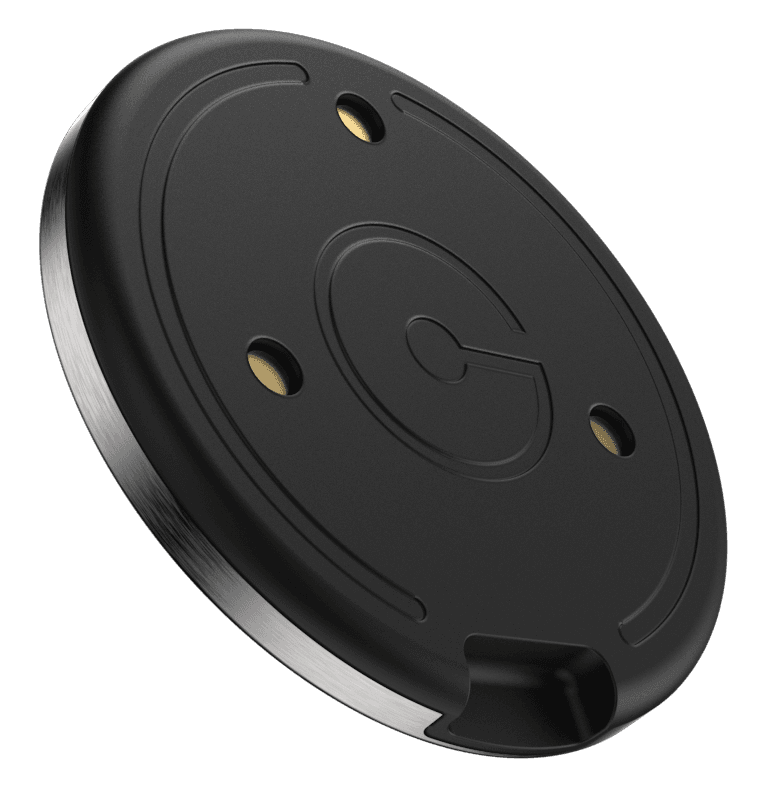
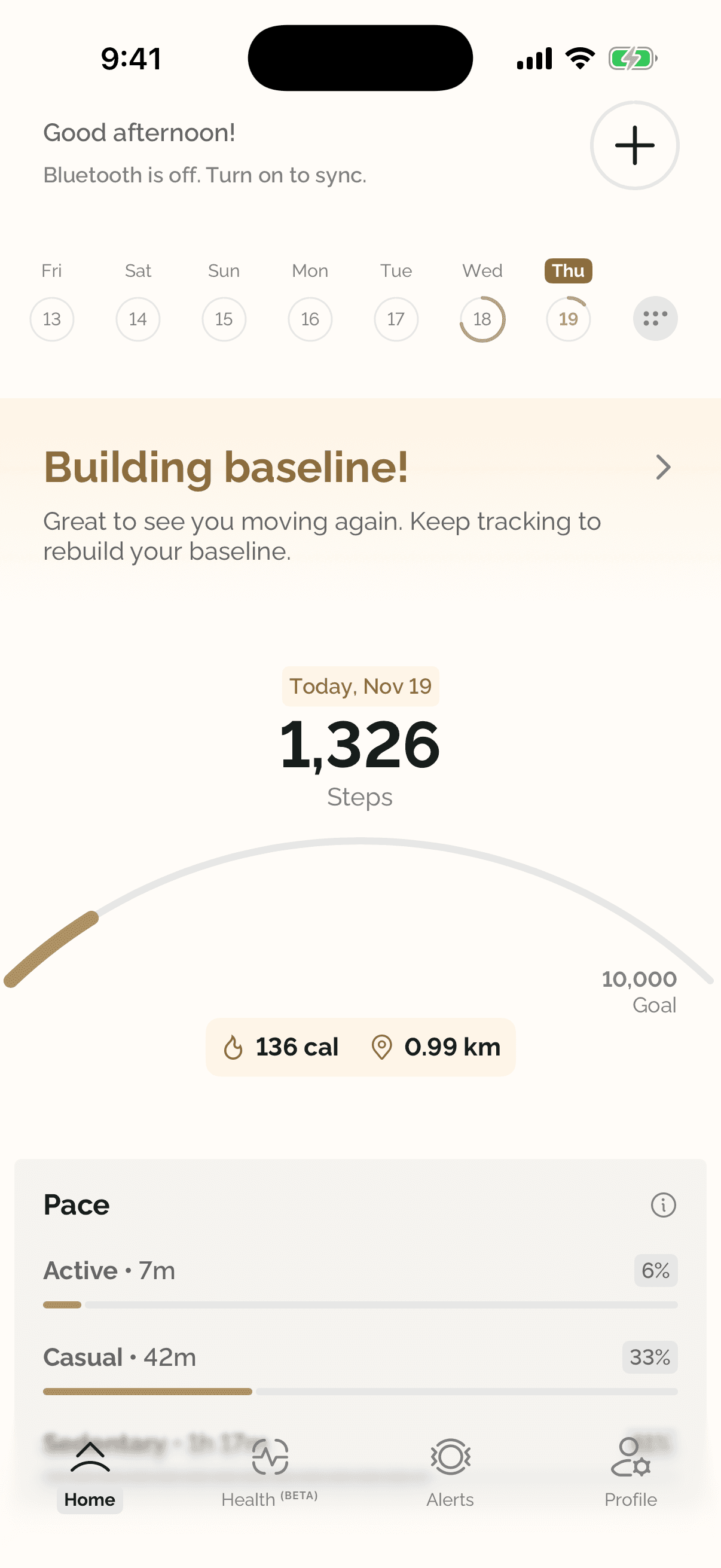
Ganance helps people understand their health through everyday signals: activity from its Heir wearable, and quick camera-based health scans on the phone.
The hard part is turning raw measurements into something people trust and come back to: fast to capture, clear to read, and careful with sensitive data.
- 01
Measurements people can trust
Camera-based readings depend on lighting, movement, and signal quality. The app has to guide each scan and handle unreliable results honestly.
- 02
Sensitive data, handled carefully
Health data needs clear consent and careful storage. Scan video is analyzed on the device and never saved.
- 03
A habit, not a one-off
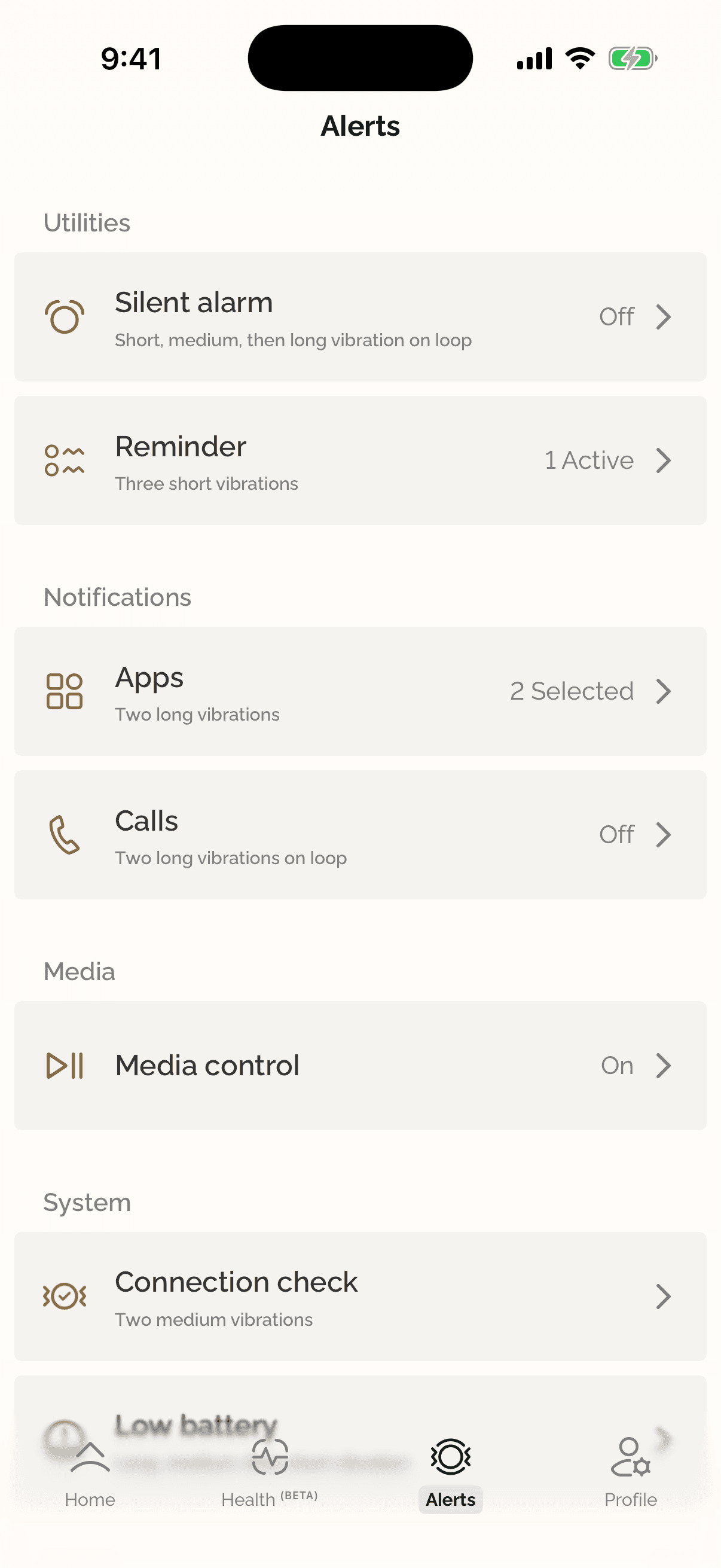
Health signals matter over time, so scans have to be easy to repeat, with history to compare against and reminders to keep a routine.
03 · My role
From product design to iOS lead.
I joined Ganance after Techstars, working first on product design. From there I moved into iOS engineering and went on to lead it.
Today I continue with Ganance as a consultant, leading iOS development and FaceScan AI integrations alongside my full-time role at CardFlow. My work spans the SwiftUI architecture, Firebase integration, subscription infrastructure, the Shen.AI FaceScan integration, and Advanced Health Intelligence experiences. I also contribute to custom AI model development, evaluation, and integration as part of the wider team.
- 01
Product design
Started in product design, shaping Ganance's flows and interfaces in Figma before moving into engineering.
- 02
SwiftUI architecture
MVVM screens backed by shared services for authentication, data sync, and app state, using Combine, async/await, and SwiftData for local preferences.
- 03
Firebase and data processing
Firebase Auth, Firestore, Cloud Functions, Storage, Remote Config, and Analytics, plus the processing that turns raw readings into stored, reviewable results.
- 04
FaceScan with Shen.AI
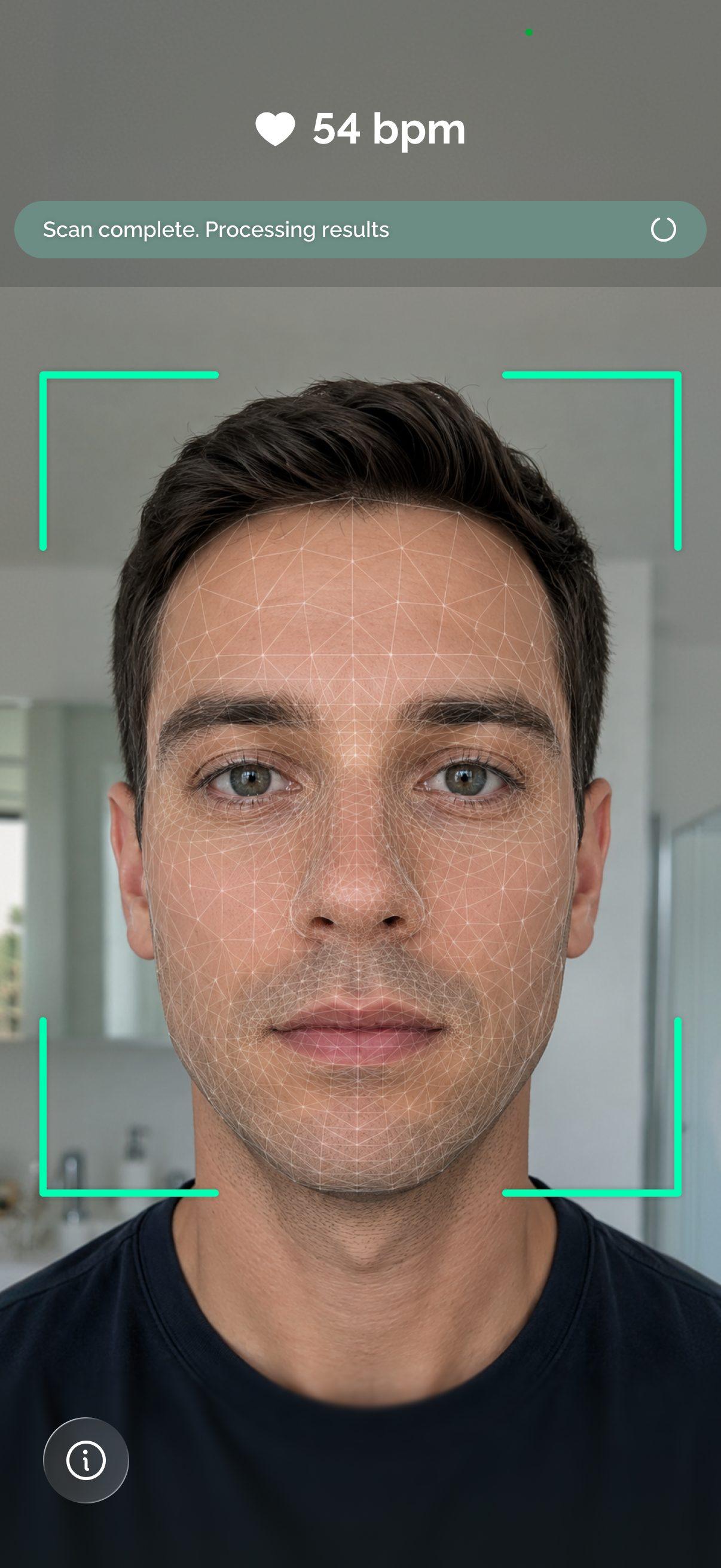
Integrated the Shen.AI SDK behind a custom SwiftUI experience: scan guidance, live progress, quality checks, results, history, and scan reminders.
- 05
Subscriptions, health intelligence, and AI
Subscription infrastructure covering in-app purchases, the purchase lifecycle, and entitlements; Advanced Health Intelligence experiences; and contributions to custom AI model development, evaluation, and integration.
Stack
- Swift
- SwiftUI
- Combine
- Swift Concurrency
- SwiftData
- Firebase
- Cloud Functions (Python)
- Shen.AI SDK
- Figma
04 · Engineering & product decisions
A careful health experience on a phone camera.
FaceScan turns a 30- or 60-second camera session into health measurements. Most of the engineering went into making that session reliable and its results trustworthy.
- 01
Own the interface, not just the SDK
The SDK's default UI is hidden. Each scan runs inside a custom SwiftUI interface built from our Figma designs, with an optional grid or heat-map overlay.
- 02
Model every scan outcome
A scan moves through explicit states: initializing, ready, measuring, finished, interrupted, failed, and camera failure. Every outcome has a designed screen instead of a dead end.
- 03
Short-lived credentials
A Cloud Function issues a one-hour SDK token from a key held in Firebase secrets, so no long-lived key ships in the app. Offline, the app falls back to the SDK's offline license.
- 04
Validate before saving
Implausible blood pressure readings are discarded, signal-quality scores are stored with each result, and risk estimates are recalculated when someone completes their health baseline.
- 05
Purchases and entitlements
Subscriptions and in-app purchases cover the full purchase lifecycle and the entitlements that come with it.
Views
- SwiftUI screensHome, Health, Alerts, Profile
- Custom scan interfaceWraps the SDK's camera view
View models
- Observable view modelsScreen state and actions
Services
- AuthFirebase Auth
- Data syncFirestore, offline retry
- Health scanShen.AI SDK
- DeviceBluetooth · Heir
Backend
- Cloud FunctionsPython: SDK tokens, aggregation, insights
- FirestorePer-user scan and activity records
- Storage & Remote ConfigFiles and feature gating
Screens share a small set of services; Cloud Functions handle tokens and server-side processing.
- 01PrepareIntro, privacy, and camera permission.
- 02AuthorizeA Cloud Function issues a short-lived SDK token.
- 03MeasureA 30- or 60-second scan with live guidance.
- 04ValidateDiscard implausible readings; keep signal quality.
- 05Save & showStore the result, then show results and history.
05 · Product showcase
A scan, start to finish.
FaceScan is designed as a short ritual: measure, understand the result, and come back to it on a routine.
01 / 04
Guided measurement
A 30- or 60-second scan with live progress and warnings for lighting, movement, and face position, so people can correct course mid-scan.
02 / 04
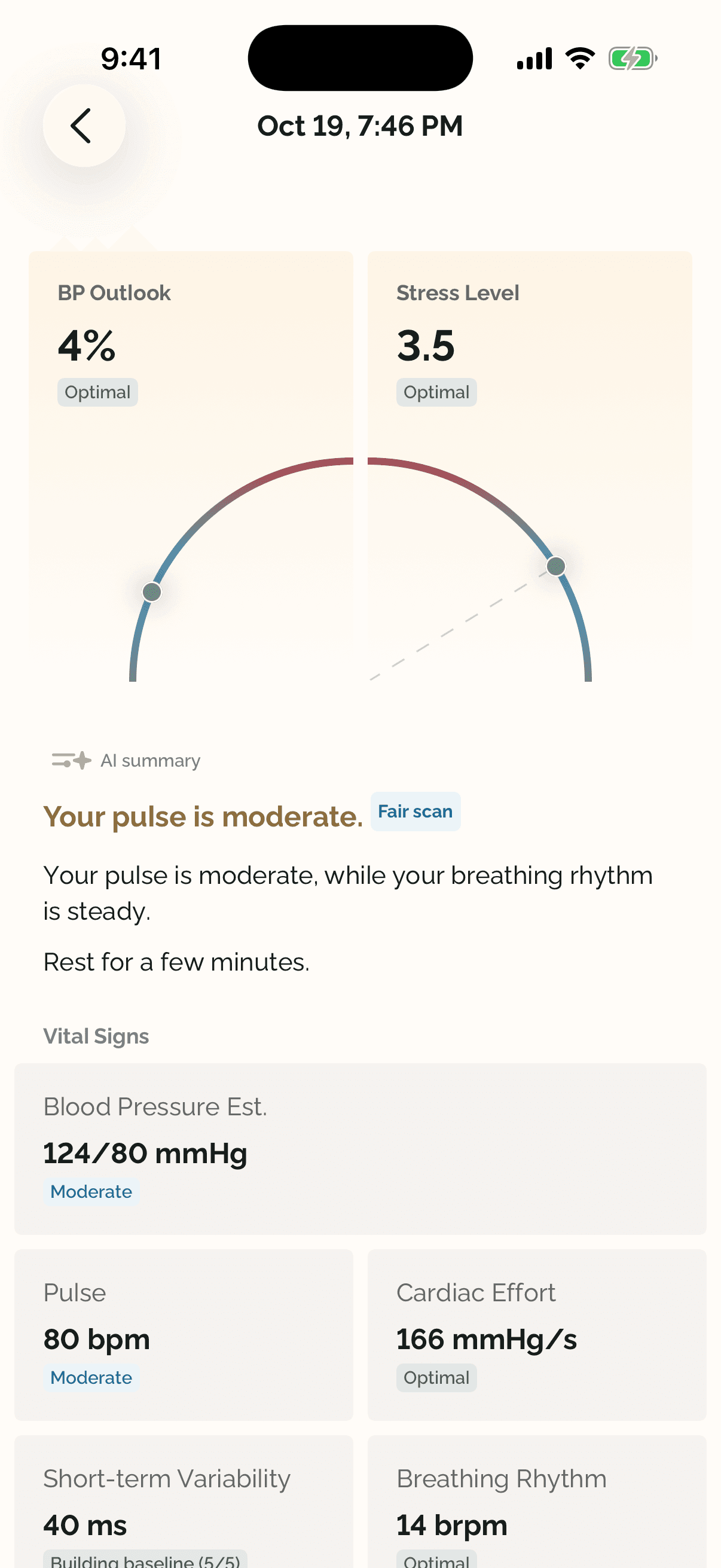
Results you can read
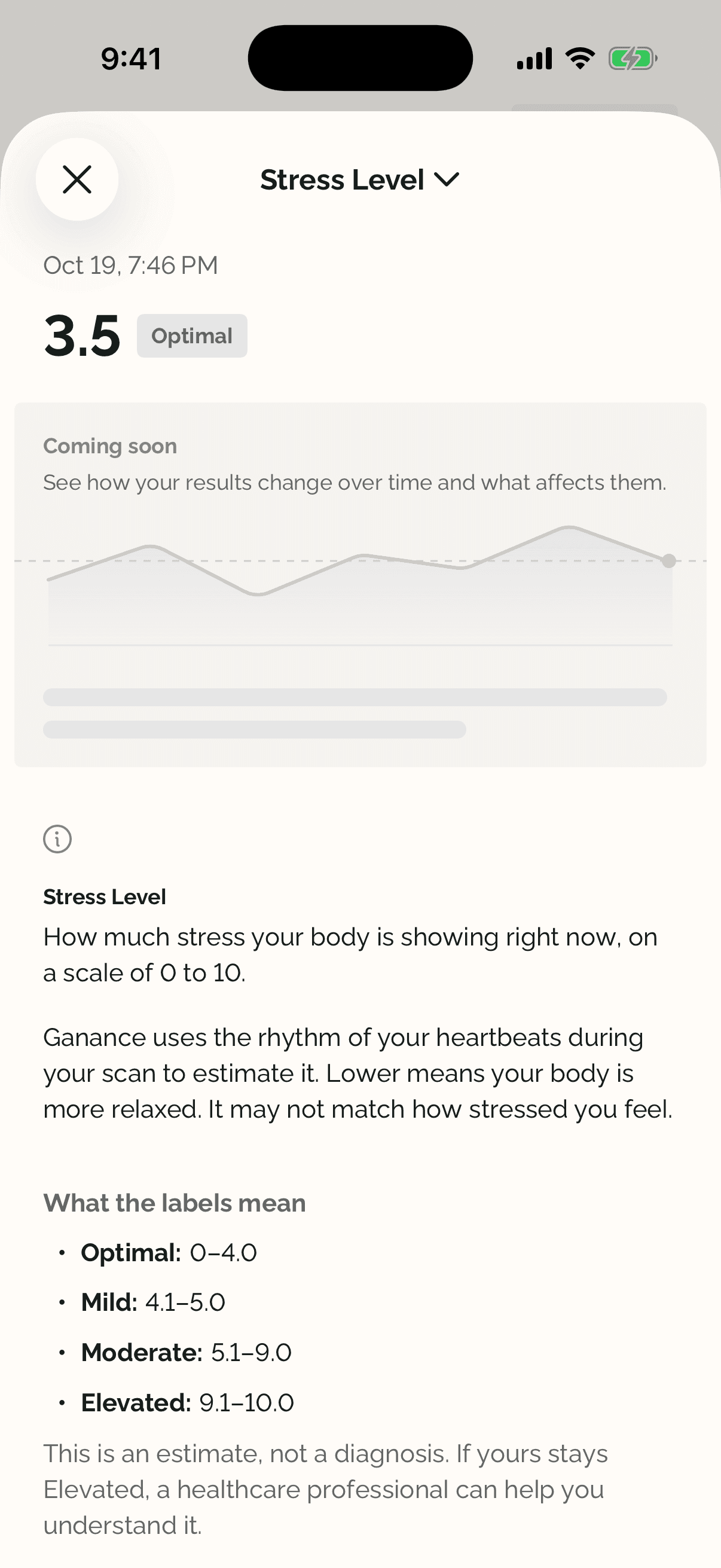
Pulse, short-term variability, breathing rate, blood pressure estimates, and stress, led by a plain-language summary and a rating of how reliable the scan was.
03 / 04
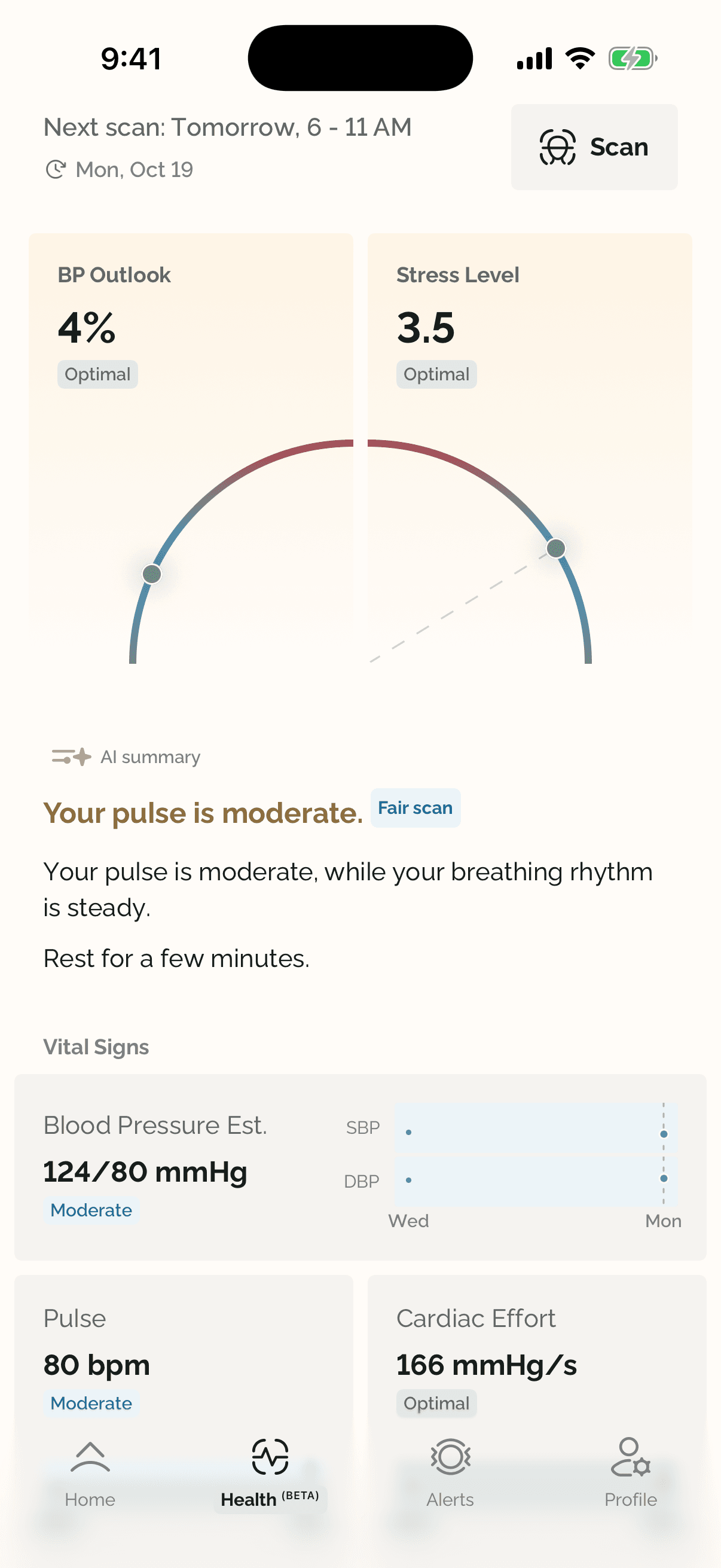
A routine, not a one-off
The Health tab leads with the next scan in your check-in routine, then your latest outlook. Reminders keep scanning a habit.
04 / 04
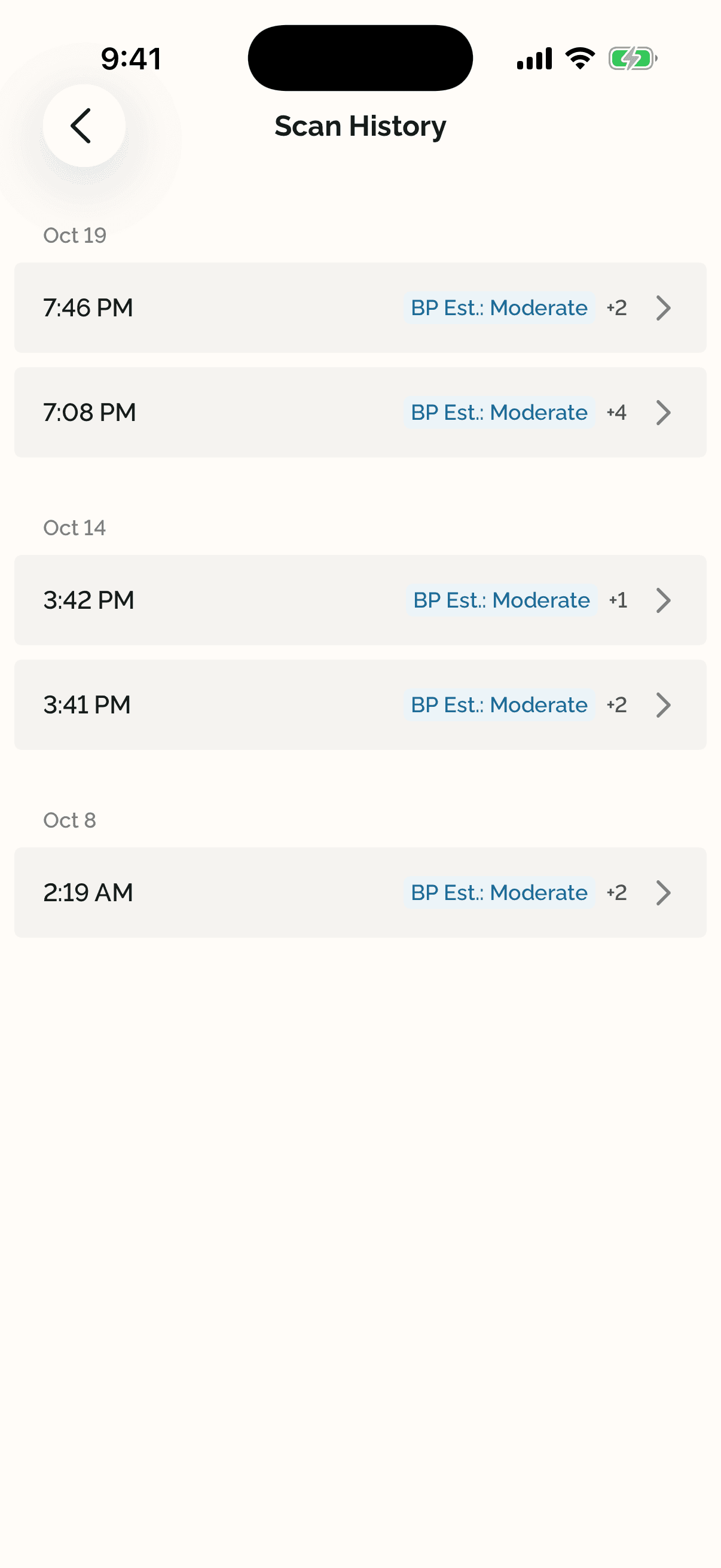
Every scan, kept
Past scans are grouped by day, each one a tap away from its full result.
Interactive demo
Replay a real FaceScan.
Start a scan and watch it play out with the app's own guidance, live pulse, and progress. Trigger a problem mid-scan to see how the app pauses or warns, then read the results from one of my own scans.
FaceScan
Sit comfortably and relax. Keep your face still, breathe naturally, and avoid talking.
Try a condition during the scan
Scan Result
Waiting for scan
BP Outlook
--
Stress Level
--
AI summary
Run the scan to see the results.
Vital Signs
Blood Pressure Est.
--/-- mmHg
Pulse
-- bpm
Cardiac Effort
-- mmHg/s
Short-term Variability
-- ms
Breathing Rhythm
-- brpm
A replay of one of my own scans from October 19, using the app's real messages and results. No camera is used, and the scan runs 10× faster than the real 60 seconds. In the app's words: for general wellness only. Not a medical device.
06 · Results & impact
Product–market fit, and room to grow.
Ganance is live with consumers and has found product–market fit, as reported by the team. The company is targeting approximately $4M in annual revenue by the end of 2027.
Live
Consumer health app
Available to consumers on iOS.
PMF
Product–market fit
As reported by the Ganance team.
~$4M
Targeted annual revenue by end of 2027
A company projection, not realized revenue or revenue attributable to my work.
Outcomes
- Lead iOS development on a live consumer health app, now as an ongoing consultant.
- Shipped camera-based health scans with a custom interface, result validation, history, and reminders.
- Contributed to custom AI model development, evaluation, and integration as part of the wider team.
Lessons
- 01Design the failure states first. A camera scan can fail in more ways than it succeeds, and every state deserves a designed screen.
- 02Keep secrets off the device. Short-lived tokens issued server-side make third-party SDKs safer to ship.
- 03Validate before you persist. Health data is only useful if people can trust what's stored.
Next case study
YumariLead Product Designer & Software Engineer